Key takeaways
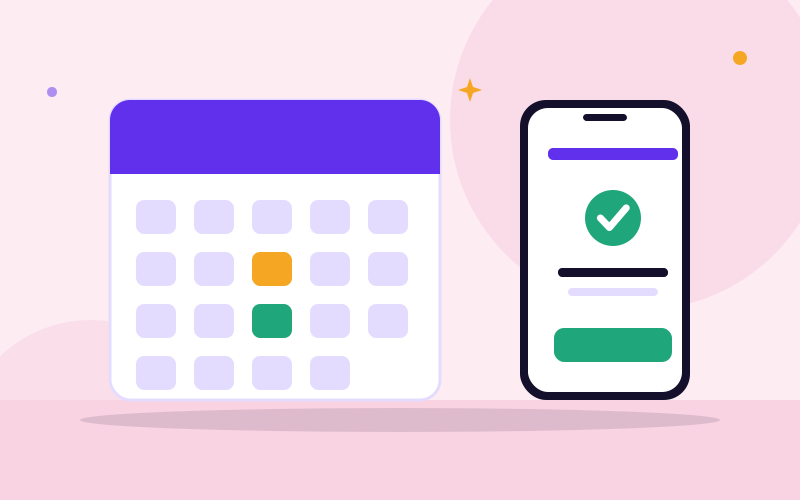
- A good booking flow is short: pick a service or doctor, pick a time, confirm contact details, receive confirmation.
- Reminders and a clear cancellation rule are the best tools against no-shows.
- Plan for walk-ins and emergencies with a queue, not by pretending they will not happen.
- Protect patient privacy, and link bookings to records and billing to avoid double entry.
Quick answer: what does a clinic booking system do?
It replaces the appointment book and the phone-call juggling. Patients or reception pick an available slot for a particular doctor or service. The system blocks that time, sends a confirmation, reminds the patient, and shows the day’s list to the doctor and front desk. When the patient arrives, they are checked in, seen, and billed from the same record.
Why clinics move from paper books to booking software
- Double bookings and clashes disappear because the slot is taken once.
- Reception stops spending the day on repeat calls asking for available times.
- Patients can book outside office hours, from their phone.
- Reminders reduce missed visits.
- Managers can see how busy each doctor is and plan staffing.
- Records of past visits are easy to retrieve.
Paper still has its place as a fallback during a power cut, so keep a simple printed day list as a plan B.
The booking flow, from first click to confirmation
Design the flow from the patient’s point of view. Every extra field loses people.
- Choose what they are booking: a consultation, test, scan, vaccination or follow-up. Different services take different time.
- Choose the doctor or department, or “first available”.
- Choose a date and time from slots that are really open.
- Enter minimum details: name, phone number, and whether they are a new or returning patient. Ask for more at the visit.
- Confirm and show a summary with the clinic address, instructions (such as fasting or documents to bring), and cancellation rule.
- Receive confirmation by SMS, WhatsApp or email.
Also allow reception to book on the patient’s behalf, by phone or in person, using the same calendar. Patients who prefer calling should not be penalised.
Setting up doctor schedules and appointment types
Most scheduling problems come from sloppy setup. Do this carefully:
- Working hours per doctor and per day, including different clinics or rooms.
- Appointment length per type, such as 15 minutes for a follow-up and 30 for a first visit.
- Buffer time between patients for notes and cleaning.
- Breaks, leave, public holidays and training days blocked in advance.
- Limits on advance booking, for example, up to 30 days ahead.
- Held slots kept free for urgent cases and walk-ins.
- Shared resources, such as a scan machine or procedure room, so two doctors cannot book the same room at the same time.
Review actual consultation times after a month. If doctors regularly run over, lengthen the slots instead of letting the queue build.
Reminders and reducing no-shows
Missed appointments waste clinician time and delay care for others. Practical steps:
- Send a confirmation immediately after booking.
- Send a reminder the day before, and optionally a short one the same morning, asking the patient to confirm, reschedule or cancel with a simple reply or link.
- Make rescheduling easy; people who cannot cancel simply do not come.
- State the cancellation expectation clearly, such as telling the clinic at least a few hours ahead.
- Release cancelled slots automatically so others can take them, or use a waiting list.
- Track no-shows by patient and by doctor. Follow up kindly with repeat cases.
If you consider deposits or fees for missed visits, think carefully about fairness and patient access, and agree the policy with management first. Messages should never include sensitive diagnosis details.
Handling walk-ins, queues and emergencies
In many clinics, a share of patients will arrive without a booking. Pretending otherwise leads to chaos.
- Check-in at reception for both booked and walk-in patients, so everyone enters one queue.
- Triage first: a nurse or trained staff member decides who needs urgent attention. Emergencies always take priority over scheduled visits.
- Queue display: a number or name on a screen, or an SMS when it is nearly the patient’s turn, reduces crowding.
- Set aside walk-in capacity in each session and adjust it based on real numbers.
- Show expected waiting time honestly, and tell people when delays happen.
Patient privacy and data protection
Booking data reveals who is seeing whom and why, so it must be protected.
- Give each staff member their own login, with access limited to what their role needs.
- Do not show other patients’ names on public screens beyond what is necessary; use ticket numbers where possible.
- Keep clinical notes separate from reminder messages. Reminders should say “appointment at 10 am tomorrow”, not the condition.
- Use secure, encrypted connections and keep backups in a protected place.
- Record who views or changes a record, and remove access when someone leaves.
- Tell patients how their data is used. Nigerian data protection rules apply to personal data, and health data is sensitive, so get professional advice on consent and storage.
Connecting bookings to patient records and billing
A booking system that stands alone creates double typing. Aim for one patient record that carries from booking to payment.
- Records: a booking for a returning patient opens their existing file, with a check for duplicates by phone and name. The doctor sees the history and visit reason.
- Billing: the booked service creates a bill at check-in, with consultation fees, tests and medication, and supports cash, transfer, card, and HMO or insurance details if relevant.
- Payments: online prepayment or deposits can be offered through gateways such as Paystack or Flutterwave, where your policy allows.
- Reports: daily bookings, attendance, no-show rates, revenue by doctor and service.
How to roll out a booking system in your clinic
- Map your current process from first call to payment, and note where time is lost.
- List your doctors, services, durations and rooms before configuring anything.
- Choose a lead, usually the practice manager or head receptionist.
- Clean the patient list you plan to import.
- Pilot with one doctor or one day for two weeks, keeping the paper book as backup.
- Train reception first, then doctors and nurses, using real scenarios such as a late arrival, a cancellation and a walk-in.
- Tell patients about the new way to book through signage, WhatsApp, and your website.
- Plan for power and internet failures with a printed day list, offline contacts and a generator or backup power for the front desk.
- Review after a month and adjust slot lengths, reminders and rules.
Measuring whether the system is working
After the first month, look at a few numbers every week. They tell you whether the system is helping or just adding clicks.
- No-show rate: missed visits as a share of booked visits. It should fall after reminders start.
- Average waiting time from check-in to seeing the doctor.
- Slot use: how full each doctor’s sessions are, and where empty gaps appear at the same times each week.
- Walk-in share: if it is high, hold more flexible capacity.
- Late cancellations and how quickly freed slots are refilled.
- Patient feedback: a single question after the visit, such as how easy was it to book.
Use the findings to make small changes, such as moving a doctor’s clinic hours to match demand or shortening a slot that is always finished early.
Common mistakes to avoid
- Configuring slots without asking doctors how long they really need.
- Making patients create accounts or fill long forms before booking.
- No reminders, or reminders that reveal medical details.
- No plan for walk-ins and emergencies.
- Letting reception bypass the system, so the calendar is wrong.
- Choosing a system that cannot export patient data.
- Launching without training or a backup plan for outages.
If your clinic needs bookings, records, billing and pharmacy working together, bring in an experienced developer or consultant to plan the setup before you buy.
Frequently asked questions
What is an appointment booking system for a clinic?
It is software that lets patients and reception schedule visits with specific doctors or services, blocks the chosen time, sends confirmations and reminders, and shows daily schedules, so there are fewer double bookings and missed visits.
How do clinics reduce no-shows?
Send confirmations and reminders by SMS, WhatsApp or email, make rescheduling simple, state your cancellation rule clearly, release cancelled slots to others, and track repeat no-shows. Reminders should avoid revealing medical details.
Can a booking system handle walk-in patients?
Yes, if it is set up for it. Walk-ins are checked in at reception and placed in the same queue after triage, while some slots are held for them. Emergencies must always be seen first.
Is it safe to store patient information in a booking system?
It can be, if the system has role-based logins, secure connections, backups and an audit trail, and if staff follow privacy rules. Health data is sensitive, so ask about hosting, access controls and data export before choosing.
Should patients be able to book online without calling?
Offering online booking is convenient, especially outside working hours and for patients who dislike phone calls, but keep phone and reception booking too. Many patients prefer to call, and both routes should feed the same single calendar.
Can booking be connected to billing and patient records?
Yes. A good setup links the booking to the patient file and creates a bill at check-in, with reports on visits and revenue. This avoids retyping and reduces errors. Ask vendors how these parts are connected.
What do we do if the internet or power goes out?
Prepare a plan before it happens: a printed list of the day's appointments, backup power for the front desk and router, and a way to enter missed bookings afterwards. Consider a system that keeps working with an unstable connection.

We repair laptops and build websites and business systems. Have a question this guide did not answer? Message us.
This guide is general advice. Every device and business is different, so if you are unsure, ask a technician before you act.